My Dotfiles


A Hyprland desktop for Arch Linux and CachyOS, with Zsh, Neovim, Alacritty, tmux, Waybar, and Mako, set up by a single Ansible playbook.
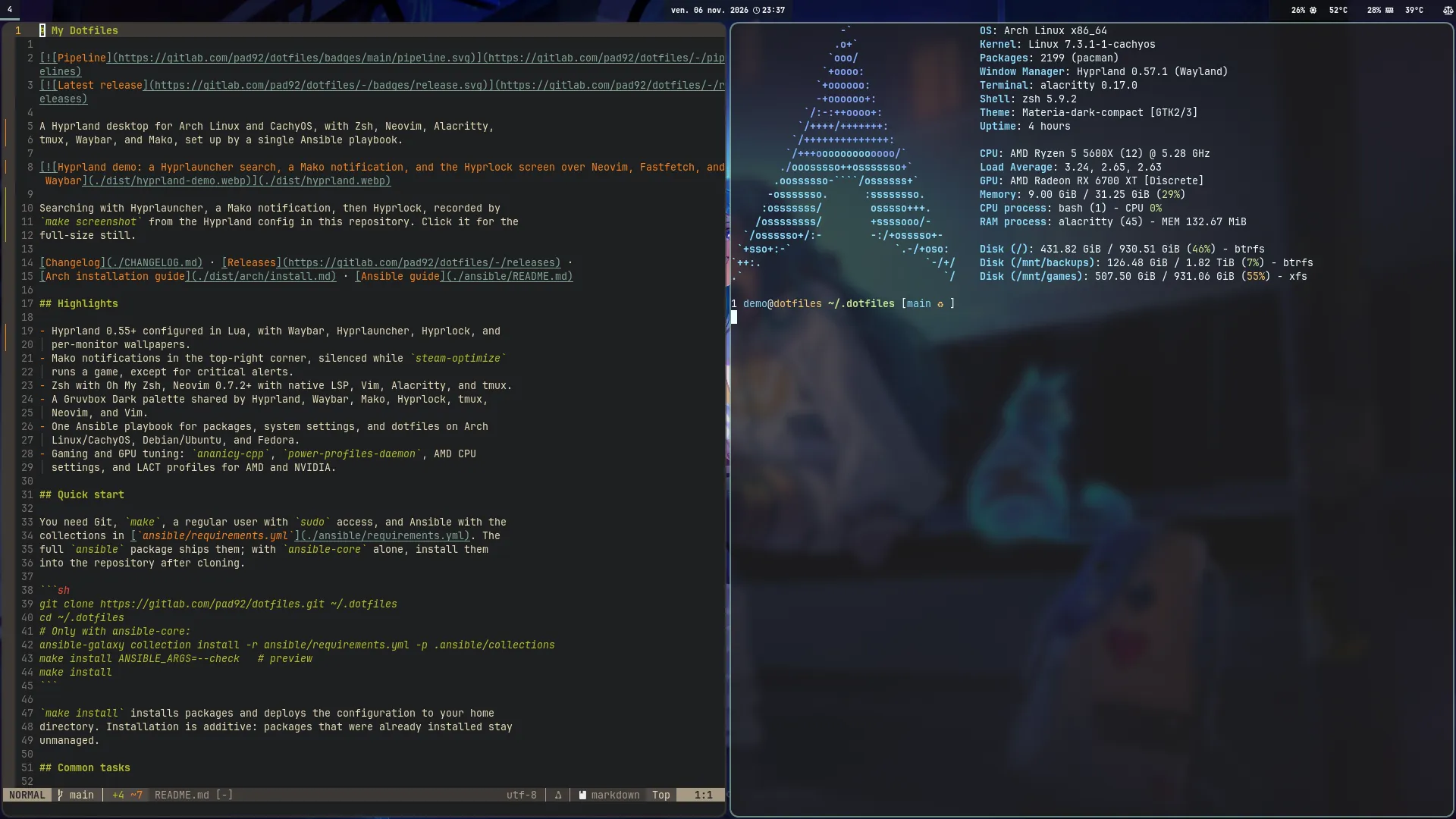
Searching with Hyprlauncher, a Mako notification, then Hyprlock, recorded by make screenshot from the Hyprland config in this repository. Click it for the full-size still.
Changelog · Releases · Arch installation guide · Ansible guide
Highlights
- Hyprland 0.55+ configured in Lua, with Waybar, Hyprlauncher, Hyprlock, and per-monitor wallpapers.
- Mako notifications in the top-right corner, silenced while
steam-optimizeruns a game, except for critical alerts. - Zsh with Oh My Zsh, Neovim 0.7.2+ with native LSP, Vim, Alacritty, and tmux.
- A Gruvbox Dark palette shared by Hyprland, Waybar, Mako, Hyprlock, tmux, Neovim, and Vim.
- One Ansible playbook for packages, system settings, and dotfiles on Arch Linux/CachyOS, Debian/Ubuntu, and Fedora.
- Gaming and GPU tuning:
ananicy-cpp,power-profiles-daemon, AMD CPU settings, and LACT profiles for AMD and NVIDIA.
Quick start
You need Git, make, a regular user with sudo access, and Ansible with the collections in ansible/requirements.yml. The full ansible package ships them; with ansible-core alone, install them into the repository after cloning.
git clone https://gitlab.com/pad92/dotfiles.git ~/.dotfiles
cd ~/.dotfiles
# Only with ansible-core:
make galaxy
make check   # preview
make deploy
make deploy installs packages and deploys the configuration to your home directory. Installation is additive: packages that were already installed stay unmanaged.
Ansible reaches the machine over SSH, even when it is the one you type on. HOST selects a host of ansible/inventory.yml and defaults to the short hostname (uname -n up to the first dot). The target needs an SSH server; the repository only has to be cloned on the machine you run make from, and that clone can be deleted once deployed: make deploy HOST=PadsP5560 configures the laptop from the desktop. A new machine first gets an inventory entry; see Per-host settings.
Common tasks
make help lists the targets and their variables. deploy, check, plan, tags and tasks share these variables, except that plan refuses TAGS and SKIP_TAGS: a selection could skip the stop after the package plan and let the next roles change the host.
| Variable | Effect |
|---|---|
PLAYBOOK | site (default, the workstation) or obs (OBS only). |
HOST | Inventory host or pattern; defaults to this machine. |
TAGS | Run only these comma-separated tags (--tags). |
SKIP_TAGS | Skip these comma-separated tags (--skip-tags). |
BECOME_PASS | Any value asks for the sudo password (--ask-become-pass). |
ANSIBLE_ARGS | Any other option, passed last to ansible-playbook. |
| Goal | Command |
|---|---|
| Preview a full run | make check |
| Print only the package plan | make plan |
| List the tags, or the tasks they run | make tags / make tasks TAGS=dotfiles |
| Deploy the dotfiles only | make deploy TAGS=dotfiles_deploy |
| Preview the dotfiles only | make check TAGS=dotfiles |
| Remove packages this installer added | make deploy ANSIBLE_ARGS="-e packages_action=reconcile" |
| Set up the Steam group | make deploy TAGS=packages,gaming BECOME_PASS=1 |
| Install only OBS and its demo scenes | make deploy PLAYBOOK=obs BECOME_PASS=1 |
| Upgrade the whole system on Arch | make deploy ANSIBLE_ARGS="-e packages_upgrade_system=true" |
| Install the pinned collections | make galaxy, or make galaxy-force to reinstall them |
| Remove backups and leftovers | make clean, or make clean DRY_RUN=1 to list them only |
make install and make install-obs remain as aliases of make deploy and make deploy PLAYBOOK=obs.
Reconciliation previews the removals and asks for confirmation.
make clean removes what deployments and earlier versions left behind. In the home directory (CLEAN_ROOT, $HOME by default) it deletes the backups the dotfiles role made next to the paths it manages (<path>.bak and <path>.<pid>.<date>@<time>~). It also deletes the broken links under the paths the role deploys, such as a link into a deleted ~/.dotfiles clone or a .wants link to a unit that is gone, and leaves other broken links in the home alone. It deletes the files a role no longer ships, such as the audio role's former 10-realtime.conf, while they still hold the shipped content; an edited copy or a link is kept and reported. In the repository it removes the Git metadata of the retired submodules (Vundle, tpm, dotbot, the Zsh plugins: their [submodule] sections and their clones under .git/modules), the records of worktrees whose directory is gone, the Python tool caches and untracked broken links. It does not look into nested Git checkouts or Python virtual environments. A submodule clone with a commit that no remote branch or tag holds, or whose checkout still exists, is kept and reported. Everything is listed before anything changes. The backups, the submodule metadata and the worktree records go only after you type REMOVE on a terminal; without a terminal they stay. Caches, broken links and unchanged obsolete files go without asking. DRY_RUN accepts only 1 (list) and 0. make ansible-backup-ls and make ansible-backup-rm remain as aliases of make clean DRY_RUN=1 and make clean, and ANSIBLE_BACKUP_ROOT still selects the home.
Package selection and Arch specifics
Package groups come from OS defaults and detected GPUs. Each machine sets its own list, `packages_host_groups`, in `ansible/host_vars/Ansible tags
Run a subset with make deploy TAGS=<tag>. The supported-distribution check and the read-only package group selection always run. The Ansible guide lists the roles and covers variables, package ownership, and system settings.
| Tags | Action |
|---|---|
package_manager | Configure pacman and makepkg. |
packages | Configure pacman, then install and reconcile packages. |
packages_install, packages_reconcile | Install packages; the latter also runs reconciliation. |
pacman, pacman_config | Configure /etc/pacman.conf. |
yay | Configure pacman and run the AUR flow only. |
system | Run every host role from lact to gnome_keyring, and makepkg. |
package_services | Enable the services and user groups of the selected package groups, and Docker. |
docker | Add the Docker group users. |
hardening | Configure SSH client defaults and desktop sysctls. |
ssh_client_hardening, kernel_hardening | Configure SSH client defaults or desktop sysctls. |
dns | Make systemd-resolved the only resolver, for the host and Docker. |
vpn | Configure the openfortivpn SAML VPN. |
gpu, gpu_modules | Configure NVIDIA/i915 kernel modules and hybrid runtime PM. |
makepkg, makepkg_config | Configure native Arch builds. |
cpu_power, amd_cpu_performance | Apply supported AMD CPU settings. |
time_sync | Enable systemd-timesyncd when no other NTP client runs. |
power_save | Set Wi-Fi and audio power-saving module options on a portable machine. |
wireless_regdom | Set the Wi-Fi regulatory domain (wireless_regdom_country). |
gnome_keyring | Unlock the GNOME keyring at a TTY login through PAM. |
gaming | Check dependencies and configure services for the Steam group. |
lact | Manage /etc/lact/config.yaml. |
obs, obs_config, obs_virtualcam | Configure OBS for 22_obs: record and stream profiles, palette scenes. |
3dprint | Install PrusaSlicer and F3D, and set up F3D previews of 3D files in Nautilus. |
dotfiles | Run the dotfiles, audio and agent_cli roles. |
audio | Write the PipeWire and WirePlumber configuration: clean mic and voice effects. |
dotfiles_deploy | Deploy the configuration; clone the pinned Vim and Zsh plugins. |
agent_cli | Set the Claude Code and Codex status lines. |
dotfiles_claude | Add the Claude Code status line when claude is installed. |
dotfiles_codex | Set the Codex status line when codex is installed. |
systemd | Deploy user units and enable the units in dotfiles_systemd_graphical_units. |
hyprlock_carousel | Render the lock-screen carousel helper. |
Changed files notify their handlers: Mako and Waybar reload, active audio services reload or restart (the SwayOSD server restarts with them), and active user units whose definitions changed restart after daemon-reload. Hypridle needs WAYLAND_DISPLAY in the user systemd environment to start.
Desktop
The Hyprland configuration is written in Lua. See the session guide for TTY startup, GNOME Keyring PAM, UWSM, and the systemd session.
| Shortcut | Action |
|---|---|
SUPER + Return | Terminal |
SUPER + E / C / W | File manager / editor / browser |
SUPER + D | Application menu |
SUPER + F1 | List the keybindings Hyprland has loaded |
SUPER + SHIFT + Return | Password manager (Proton Pass) |
SUPER + SHIFT + Q | Close the window |
SUPER + F / SUPER + ALT + Space | Fullscreen / floating |
ALT + Tab | Cycle windows and raise the focused one |
SUPER + Arrows | Change focus; add Shift to move the window |
SUPER + [ / SUPER + ] | Focus the window on the left / right |
SUPER + Left click / Right click | Drag to move / resize the window |
SUPER + [0-9] | Switch workspace; add Shift to move the window there |
SUPER + ALT + [0-9] | Send the window to a workspace and stay (keypad too) |
CTRL + SUPER + Left / Right | Previous / next workspace |
SUPER + L / SUPER + Delete | Lock / logout menu |
SUPER + SHIFT + V | Clipboard history |
SUPER + ALT + Right | Change wallpaper |
SUPER + N | Dismiss notifications; Shift restores the last |
Print / SUPER + P | Screenshot of a region, then edit it in Swappy |
CTRL + Print / SUPER + CTRL + P | Record a window (click) or a region (drag); press again to stop |
CTRL + SHIFT + Print / SUPER + CTRL + SHIFT + P | Record the focused screen; press again to stop |
SUPER + Page Up / Page Down | Zoom in / out around the pointer; SUPER + Home resets |
Volume, media, brightness and screenshot keys also work on the lock screen. Caps Lock shows its state in an on-screen indicator.
Adding CTRL to a screenshot key records a video instead, and SHIFT widens the recording to the whole screen.
Mako shows up to five notifications in the top-right corner, newest first, and draws them above fullscreen windows. steam-optimize turns on do-not-disturb during games; critical alerts still appear and stay until dismissed.
awww.sh picks wallpapers per monitor from local files or NFS/CIFS mounts. Copy its sample to ~/.config/awww/awww.conf to configure sources. Renders are cached with a 2 GiB default quota, and awww_random.timer changes wallpapers every 30 minutes. ImageMagick is required.
Recordings are H.264 MP4 files at 30 fps, without sound, saved in ~/Videos/Recordings (the XDG videos folder). A few seconds of a 1440p screen take a few hundred kilobytes. Frames are copied continuously, so a still screen records correctly, and encoding a 1440p screen uses about 1.5 CPU cores while it runs. The path is copied to the clipboard when the recording stops. While it runs, Waybar shows a red REC label; clicking it stops the recording. A window is recorded as the area it covered when you picked it: if you move it, it leaves the frame, and anything drawn over it is recorded too.
Settings are environment variables of the Hyprland session (for example in ~/.config/uwsm/env-hyprland), documented at the top of hypr-record.sh: HYPR_RECORD_AUDIO=1 adds the default audio input, and HYPR_RECORD_HWENC=1 with HYPR_RECORD_VAAPI_DEVICE encodes on the GPU, falling back to libx264 if the encoder does not start.
Hyprlock shows the time, battery, and current media. Its carousel option uses the AWWW sources; see the Hyprlock template.
Gaming and GPUs
Select the 21_steam group, then run make deploy TAGS=packages,gaming BECOME_PASS=1. The group installs ananicy-cpp and power-profiles-daemon instead of GameMode. Ansible enables both services and stops if another known CPU power manager is active or enabled. On CachyOS it also adds the CachyOS Ananicy rules, Proton, and cachyos-settings, which provides game-performance. steam-optimize works without game-performance and sets shader-cache limits for AMD and NVIDIA.
The amd_cpu_performance tag applies balance_performance EPP through the powersave governor, only when AMD P-State is active and no known power manager is running. X3D CCD mode is opt-in. A failed EPP update restores the original governor and preference.
The lact tag manages /etc/lact/config.yaml with the GPU identifiers reported by the running LACT daemon. It keeps existing profiles and fan curves, backs up changes, and restarts lactd when needed. It adds Auto, Adaptive, and PreferMaximumPerformance profiles, named after LACT's PowerMizer modes, for detected AMD and NVIDIA GPUs. Intel GPU settings are left unchanged.
See AMD options and gaming setup for overrides and dependencies.
Customize
Set your Git identity in the untracked ~/.gitconfig.local; the managed .gitconfig includes it.
| Configuration | Location |
|---|---|
| Shell and login | Zsh files and .zshrc |
| Hyprland | .config/hypr/ |
| Waybar | .config/waybar/ |
| Notifications | .config/mako/config |
| Terminal and tmux | Alacritty and .tmux.conf |
| Editors | Neovim and Vim |
| Wallpaper settings | AWWW configuration sample |
Static files are copied from ansible/roles/dotfiles/files/ and host-aware files are rendered from ansible/roles/dotfiles/templates/. Managed paths that conflict are backed up before replacement. Unit symlinks stay links; deployment stops if a regular file or directory occupies one of their destinations.
Shell and editors
Zsh uses Oh My Zsh, autosuggestions, syntax highlighting, and the aliases and functions in zsh/, including arch_update, clean_arch, extract, mtail, and GPG helpers. mtail follows log files across rotation; quote globs to include files created later:
mtail '*.log' '/var/log/app/*.log'Completion comes from zsh, the packages and the plugins, in that order. Commands that only ship a bash completion are completed through bashcompinit when their file works without the bash-completion helpers; otherwise zsh completes file names. The caches live in ~/.zcache: delete ~/.zcache/bash-completions or ~/.zcache/generated/ to rebuild them.
Neovim uses Lua, Telescope, Treesitter, Mason, and native LSP. Neovim 0.8+ loads plugins with lazy.nvim; Neovim 0.7.2 uses a compatibility loader with older plugin releases. Vim loads its plugins as a Vim package from ~/.vim/pack/dotfiles/start/, cloned at the commits the role pins.
Zed is installed on Arch with the 10_sre_devops package group. In Zed, CTRL + ALT + V saves the active file and runs vault-toggle on it: a plain file is encrypted with Ansible Vault, an encrypted one is decrypted in place. The playbook manages ~/.config/zed/tasks.json and keymap.json for this, so edits made to them in Zed are replaced (with a .bak copy) on the next run. settings.json is left alone.
vault-toggle takes the password from ANSIBLE_VAULT_PASSWORD_FILE or ANSIBLE_VAULT_IDENTITY_LIST, then from the project ansible.cfg, then from the nearest .vault, .vault_pass, .vault_pass.txt or .vault-password above the file, and prompts as a last resort. A password file found that way is used only if you own it, it is not executable and no one else can write to it, because ansible-vault runs an executable password file. Decryption is refused when Git tracks the file or does not ignore it; vault-toggle --force
FILE overrides that from a terminal.
GitLab publishes standalone configuration archives for both editors. Back up your current configuration first: extraction replaces files with the same names.
Install the Neovim configuration on its own
The archive installs `~/.config/nvim`.set -eu
archive=$(mktemp)
trap 'rm -f -- "$archive"' EXIT
curl -fL 'https://gitlab.com/pad92/dotfiles/-/jobs/artifacts/main/raw/nvim.tar.gz?job=package_nvim' -o "$archive"
tar -tzf "$archive"
read -r -p 'Extract this archive into your home directory? [y/N] ' confirm
[ "$confirm" = y ] || exit 1
tar -xzf "$archive" -C "$HOME"Install the Vim configuration on its own
The archive installs `~/.vim` and `~/.vimrc` with the plugins, at the commits the role pins, under `~/.vim/pack/dotfiles/start/`. Vim loads them at startup, so there is nothing else to install. [`scripts/vim.sh`](./scripts/vim.sh) does the same download and extraction without the confirmation step.set -eu
archive=$(mktemp)
trap 'rm -f -- "$archive"' EXIT
curl -fL 'https://gitlab.com/pad92/dotfiles/-/jobs/artifacts/main/raw/vim.tar.gz?job=package_vim' -o "$archive"
tar -tzf "$archive"
read -r -p 'Extract this archive into your home directory? [y/N] ' confirm
[ "$confirm" = y ] || exit 1
tar -xzf "$archive" -C "$HOME"Scripts
The playbook deploys ~/.bin/ and Zsh adds it to PATH.
| Script | Purpose |
|---|---|
steam-optimize | Configure per-game Vulkan and Gamescope options. |
backup.sh | Back up files with rsync over SSH. |
awww.sh | Select and render wallpapers. |
razer_dpi.py | Configure Razer mouse DPI. |
hypr-screenshot.sh | Record the desktop still and animated demo. |
hypr-record.sh | Record a screen or a window as a light MP4. |
hypr-keybinds.sh | List the loaded keybindings (SUPER + F1). |
comcut, comskip.sh | Detect and remove commercial breaks. |
diff-cmd | Compare command output for two arguments. |
vscodium_ext.sh | Install VSCodium extensions. |
vault-toggle | Encrypt or decrypt a file with Ansible Vault. |
backup.sh only cleans package caches when you pass --clean-packages: it then runs yay -Sc on Arch or apt autoremove --purge on Debian.
Development
| Command | What it does |
|---|---|
make verify | Run make lint, then make test. |
make test | Run the Python and shell test suites. Set JOBS=N to limit parallelism. |
make coverage | Run the Python tests under coverage.py and enforce the .coveragerc floor. |
make lint-ansible | Run ansible-lint, yamllint, and the playbook syntax check. |
make screenshot | Render the desktop showcase at the top of this page (RES, SETTLE, ...). |
The pre-commit hook runs make coverage and the shell tests, as the CI does, so a commit that lowers the coverage below the .coveragerc floor is refused locally. It needs coverage.py (python-coverage, installed with the 10_sre_devops packages).
GitLab, GitHub, and Gitea share the scripts in scripts/ci/; see the GitHub workflows and GitLab CI documentation. Pushing a v* tag publishes a release with the matching changelog section. The repository is mirrored on GitLab, GitHub, and Codeberg.
Maintained by pad🐐 since 2015.